
Updated:
Why sales notes go missing
A good discovery call is full of detail: the current process, the numbers, the person who actually signs, the competitor they are also talking to. Reps who type during the call ask fewer follow-up questions. Reps who write notes afterwards remember the headline and forget the specifics, and the CRM ends up with “good call, send proposal”.
The problem gets worse when a deal changes hands or a manager reviews the pipeline. Without notes, the only record of what the customer said is in someone's memory.
What Notal gives you after a sales call
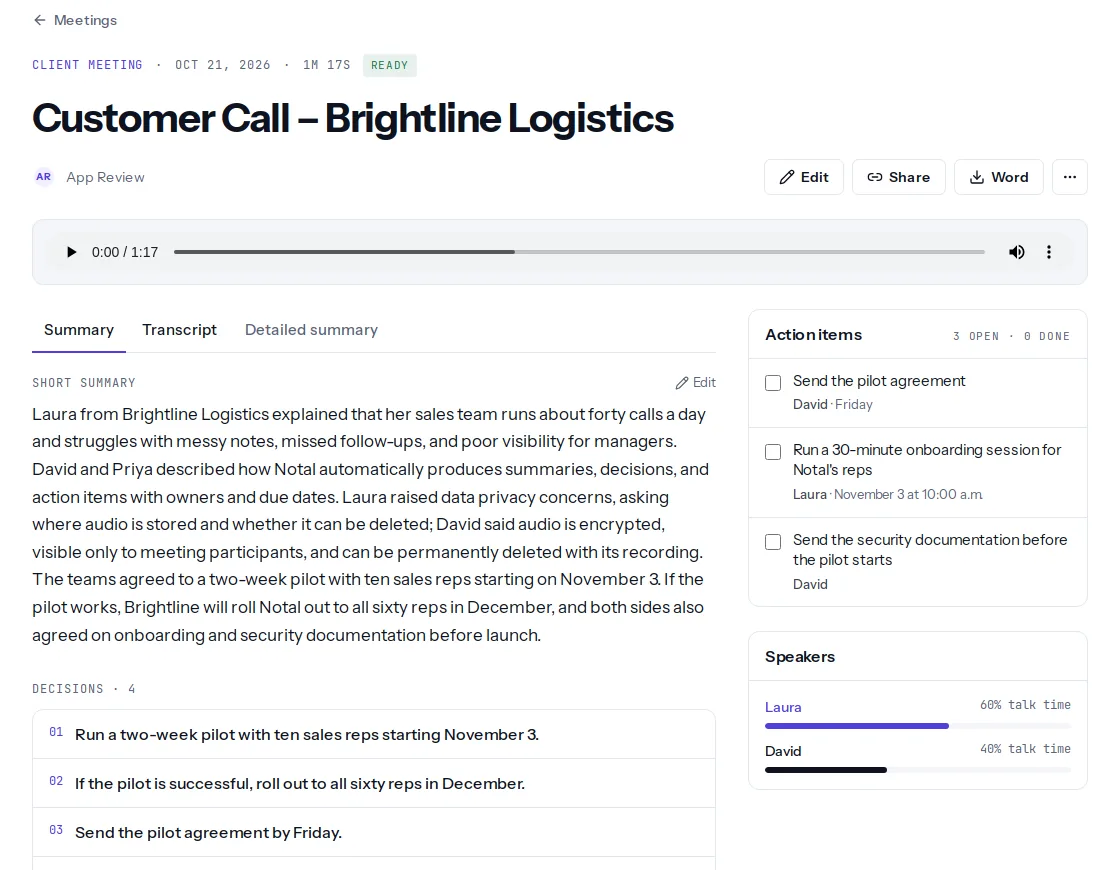
Choose the “Sales call” meeting type before you record. On top of the usual summary, decisions and action items, Notal adds sections tailored to sales, and only fills them in when the topic actually came up:
Customer needs
The problems and goals the customer described, in their own terms.
Objections and concerns
Price, security, timing, switching costs: whatever made them hesitate.
Budget and timing
Numbers and dates that were mentioned, so you don't have to guess later.
Decision makers
Who was named as involved in the decision, and who signs.
Competitors
Other tools or vendors they mentioned, if any.
Next steps
Action items with owners and dates, such as “send the pilot agreement by Friday”.
Across the whole pipeline
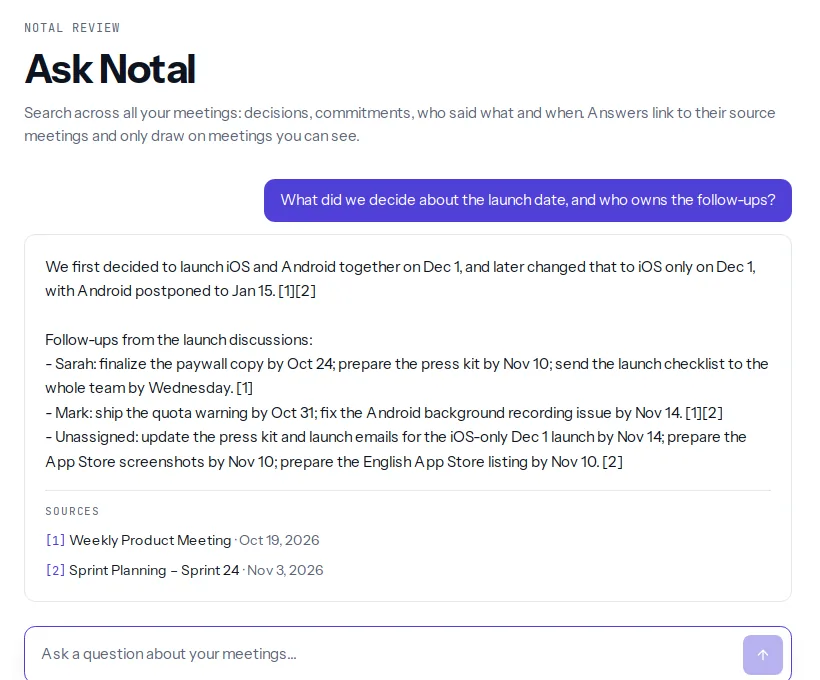
Because every call is searchable, you can ask Notal questions like “what did Brightline say about data security?” or “which prospects mentioned a budget for Q1?” and get an answer that cites the calls it came from. If a later call contradicts an earlier agreement, for example a new start date, the conflict check flags it.
Step by step
- Before the call, start a recording in Chrome (tab audio + microphone) or in the Windows app, and pick the “Sales call” type.
- Tell the customer you're recording; most people appreciate that you'll send an accurate recap.
- After the call, check the summary and the sales sections, and fix anything that needs a correction.
- Send the customer a read-only summary link, or copy the next steps into your follow-up e-mail.
- On PRO, use webhooks or the API to send finished notes to your CRM or to tools like Zapier.
Notal doesn't have a built-in CRM integration. The webhook and API (PRO) let you connect it to your own systems.
Frequently asked questions
Does Notal work for phone calls, not just video calls?
If the call runs on your computer (a softphone, Zoom, Teams, Meet), record it with the Windows app or a Chrome tab. For in-person meetings, record with your phone's microphone. Notal can't tap into a regular mobile phone call.
Will Notal invent things the customer didn't say?
The sales sections are only filled in when a topic was discussed, and the summary is based on the transcript, which you can open and check at any time. As with any AI output, review important details before you act on them.
Can my manager see my calls?
Only if they're added as a participant. In Notal, a meeting is visible to its creator and its participants, even within the same workspace.
Is there a per-seat price for a sales team?
No. Notal is priced per workspace: the whole team shares the monthly hours of the plan. PRO is $9 per month or $90 per year.