
Updated:
The usual problem with interview notes
Interview notes tend to capture what the interviewer expected to hear. The surprising remark, the hesitation before an answer, the exact words a customer used to describe their workaround: those are the things that get lost when one person is asking questions and typing at the same time.
Even when notes are good, they end up spread across documents. Three months later, when someone asks “how many customers mentioned onboarding?”, answering means rereading everything.
How Notal helps
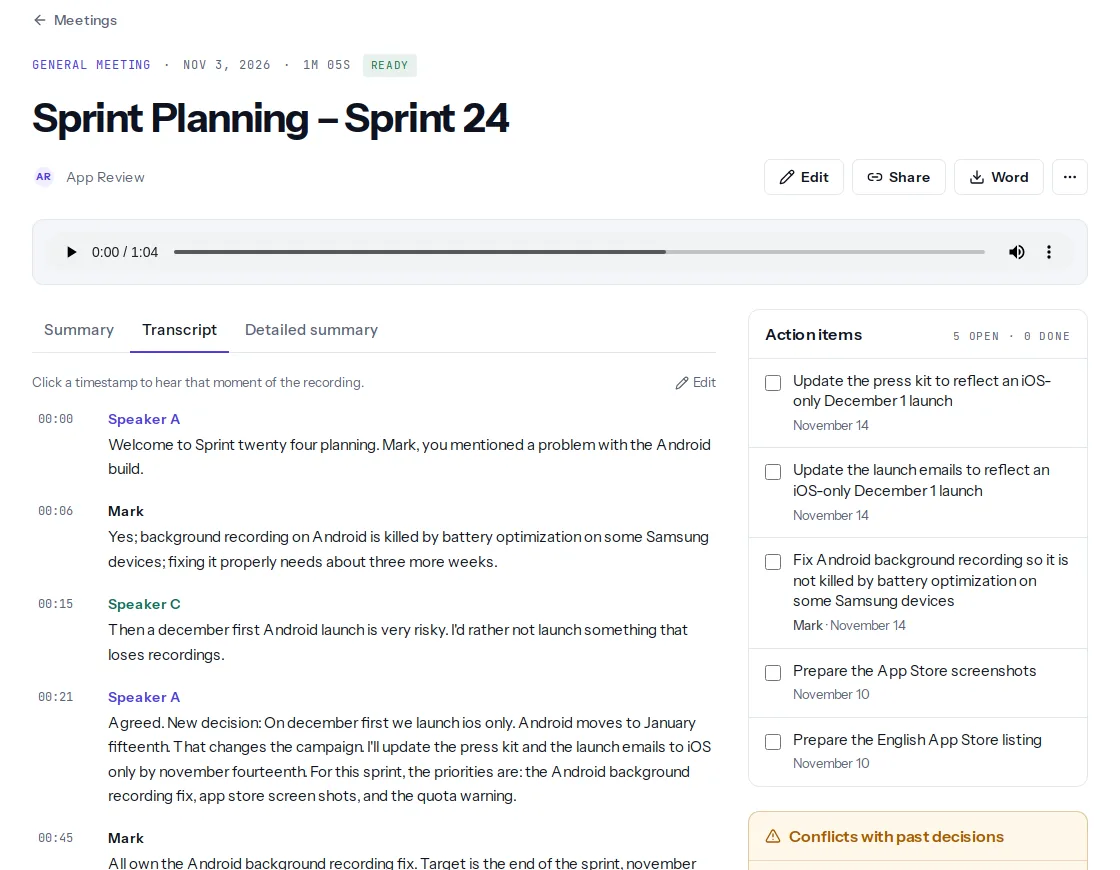
Full transcript, by speaker
Interviewer and customer are separated, with timestamps you can click to hear the original audio.
A summary that stays close to what was said
The short summary and key points come from the transcript, so you can always check a claim against the source.
Your terms, spelled right
Add product names and jargon to the workspace vocabulary so they're transcribed correctly.
Questions across interviews
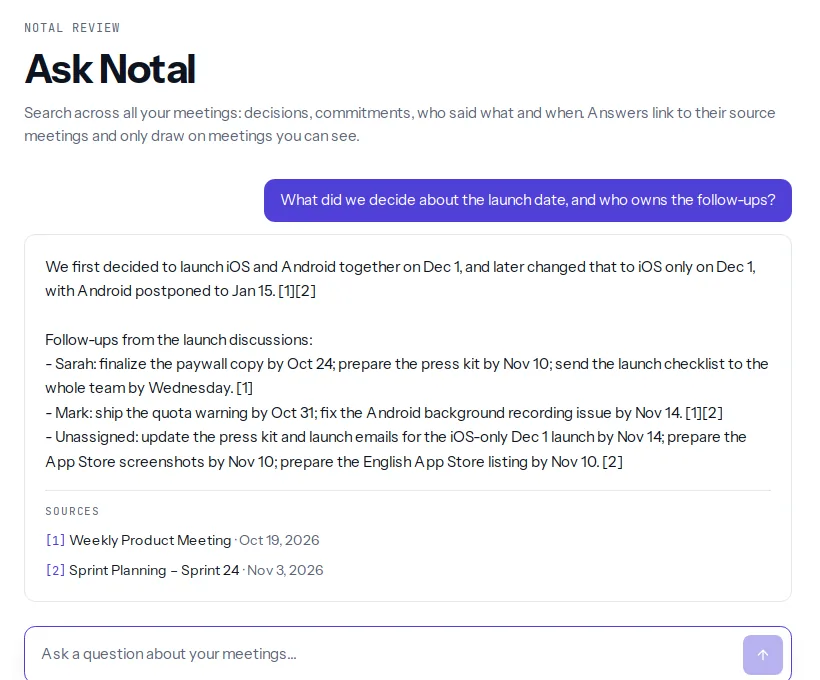
Ask Notal “what did customers say about pricing?” and get an answer that cites each interview it used.
Follow-ups as action items
Promises like “I'll send you the beta link” become action items with an owner.
Private by default
Only the person who created the meeting and its participants can open it, which matters when interviews contain personal details.
A simple research workflow
- Before the first interview, add your product's terms to the custom vocabulary in Settings.
- Record each interview in Chrome or the Windows app (remote), or with your phone (in person). Use the “General” meeting type, or “Client meeting” for existing customers.
- Ask for consent at the start; it's also a good moment to explain how the recording will be used and deleted.
- After each interview, skim the summary and mark the moments you want to quote by opening the transcript.
- When you have five or more interviews, use Ask Notal to look for patterns, then go back to the cited interviews to read the full context.
Treat AI answers as a starting point
Ask Notal is good for finding where something was discussed. For research conclusions, read the cited transcripts yourself before you report a pattern.
Frequently asked questions
Can I use Notal for in-person interviews?
Yes. Record with your phone or laptop in the room and upload the file, or record directly in Notal. A quiet room and a phone placed between you and the participant give the best transcript.
Which languages can interviews be in?
Transcription supports Turkish, English, German, French, Spanish, Arabic and Russian. Summaries are written in English or Turkish.
How do I delete an interview when the participant asks?
Open the meeting and delete it. The audio file, transcript and summary are removed from the server permanently.
Can my research team share interviews?
Yes. Add colleagues as participants when you save the recording, or share a read-only summary link. Everyone in the workspace uses the same monthly hours.